Overview
The following article was written by Link Digital CKAN developers Yan Rudenko and Alexandr Cherniavski. Link Digital is pleased to announce two updates to CKAN – the Comprehensive Knowledge Archive Network.
The first is an update for ckanext-selfinfo, an extension developed by Yan Rudenko which gives administrators a crucial, real-time overview of system, usage, and error telemetry directly in the CKAN interface.
The second is a major update for Alexandr Cherniavski’s ckanext-syndicate, which lets a user copy – or syndicate – datasets from one instance of CKAN to another.
Let’s check out both extensions and what they can do.
Real time diagnostic monitoring in your CKAN
The ckanext-selfinfo extension is a lightweight but powerful operational toolkit designed to give CKAN administrators and developers real-time visibility into the health, performance, and configuration of their CKAN instance, directly inside the CKAN interface.
It reduces diagnostic time, improves transparency, and helps teams maintain stable, production-ready deployments.
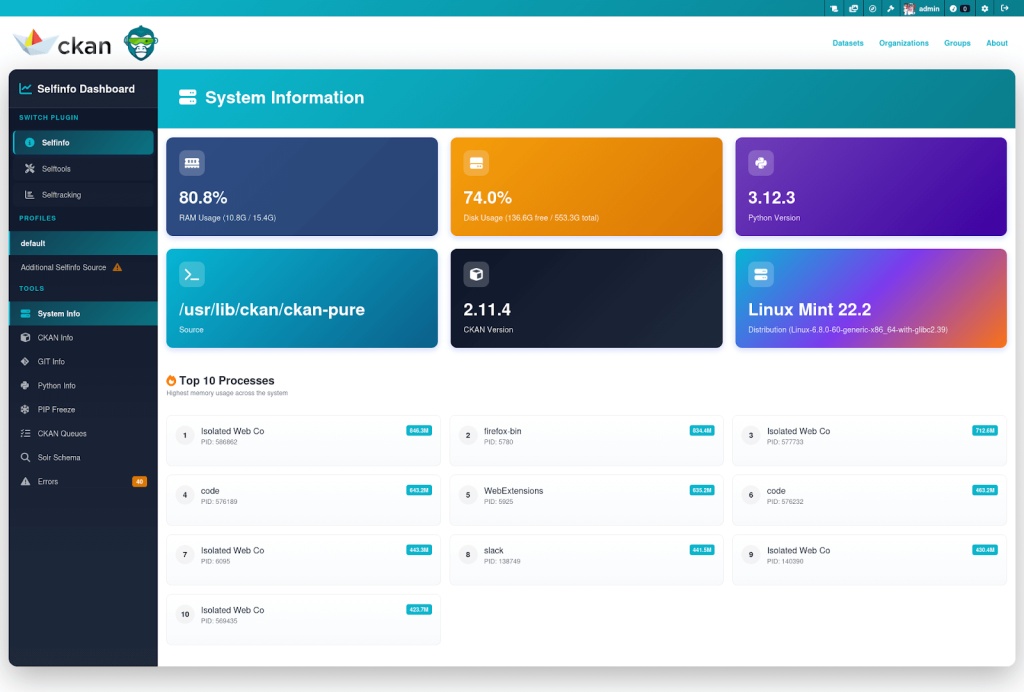
Running CKAN often requires switching between server logs, CLI tools, monitoring dashboards, and configuration files. Ckanext-selfinfo centralises key operational data in one place, giving administrators an immediate understanding of:
- system resource usage
- CKAN configuration state
- extension versions and git commits
- search index status
- error traces
- traffic patterns and user interactions
This makes troubleshooting and performance monitoring faster and more accessible, especially in environments with limited DevOps access.
What the extension includes:
1. Selfinfo: System & telemetry dashboard
A consolidated overview of your CKAN instance, including:
- CPU, RAM, and disk usage
- CKAN configuration overview (filtered for safe display)
- Installed extensions & version details
- Git branch and commit information
- Error logs and alerts
- System events and runtime signals
All of this is available in a clean UI panel within the CKAN administration section.
2. Selftools: Admin utilities for CKAN internals
Practical tools for developers and power-admins:
- SOLR index information & quick checks
- Database inspection tools (safe queries/metadata only)
- Redis-based operations for cache, throttling, and tracking
- Quick access to CKAN internals without SSH
These tools streamline maintenance tasks, especially in cloud or containerized setups where shell access is limited.
3. Selftracking: Lightweight usage and interaction tracking
By default, Selftracking captures page view events and API call activity, storing them for lightweight telemetry. The module is designed to be extensible: developers can register additional event types, implement custom tracking handlers, and integrate the collected data into analytics pipelines, auditing tools, or automation workflows.
What’s new in version 2: highlights
1. Enhanced user interface styling
A completely refreshed UI with improved layout, clearer grouping of categories, and an overall better admin experience. The new design makes system insights easier to read and interact with.
2. Action security improvements
New configuration option ckan.selfinfo.actions_prefix allows adding custom prefixes to all Selfinfo actions. This adds an additional layer of security through obscurity and helps avoid naming conflicts with other extensions.
3. Updated and expanded documentation
Documentation has been rewritten with clearer examples, expanded setup instructions, and more complete configuration guides to simplify onboarding and troubleshooting.
Category configuration updates
Default behaviour has changed. Categories are no longer enabled automatically.
- Selfinfo:
- Only platform_info is enabled by default
- Status_show has been removed from available categories and added automatically
- Selftools: Only Solr category is enabled by default
Admins must now explicitly configure which categories they want to enable.
Major update for CKAN extension Syndication 3.0.0
The ckanext-syndicate extension has been updated to version 3.0.0. This major release brings a complete overhaul, from internal code and tests to an entirely new user interface.
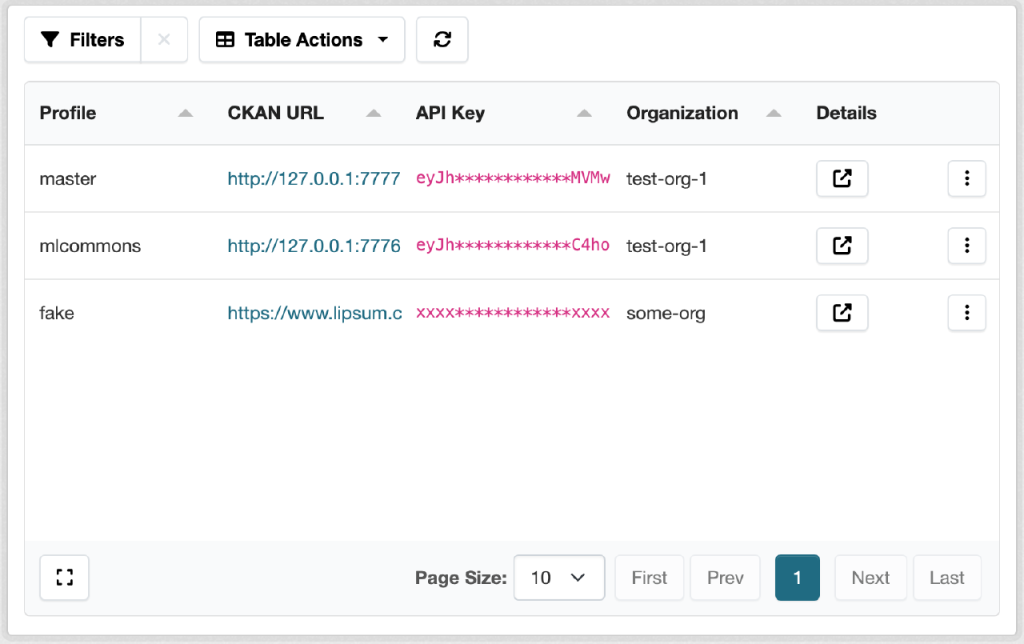
Syndicate’s primary goal is to push datasets to remote portals, enabling a single data provider to distribute data across multiple open-data portals. Portal maintainers specify profiles that represent remote portals. Each profile contains information about the remote CKAN instance, authentication credentials, and other configuration settings.
The main issue we aimed to solve was the lack of observability. Previously, syndication happened in background jobs with output written only to log files. Users initiating the sync process from the web UI were often unaware of the outcome.
The process complexity stems from several factors, primarily remote portal availability and dataset schema differences. Changes to a schema on a remote portal can break syndication. Similarly, modifying data on the source portal may trigger incompatibility with the remote portal’s schema.
These issues need to be obvious and easily resolvable. To track every syndication record, we’ve created a web UI (available only to sysadmins) that helps you monitor all enabled profiles and their records.
Syndication Profiles Dashboard
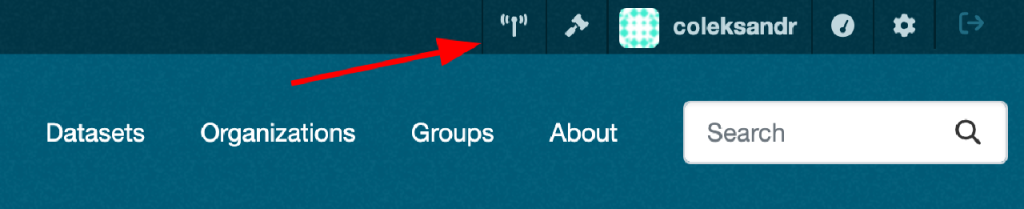
You can access the syndication profile dashboard by clicking the button in the header next to your profile name.
Clicking the button opens the dashboard with all profiles listed. On this page, you can see the profile name, remote portal URL, and all other profile-related data. The dashboard table is powered by the ckanext-tables extension, which allows us to build complex tables with sorting, filtering, and pagination quickly and easily.
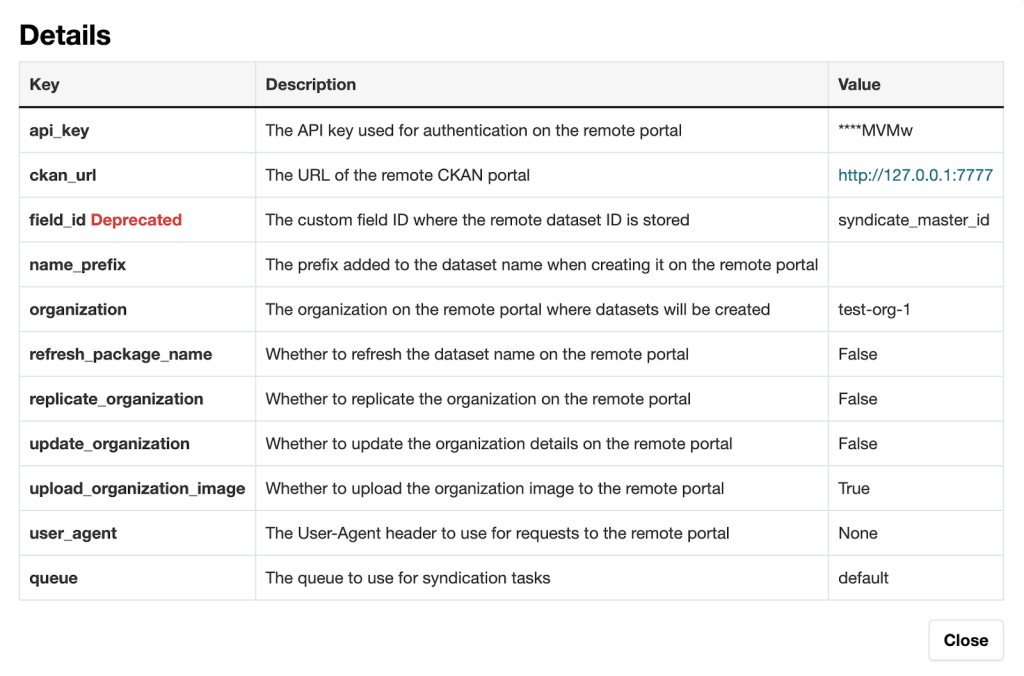
Because each profile contains extensive information, we’ve added a button in the Details column that opens a modal window showing all profile information. Here you can verify whether the API key is set, view the remote portal URL, check the profile queue name, and review other settings.
Syndication Records Dashboard
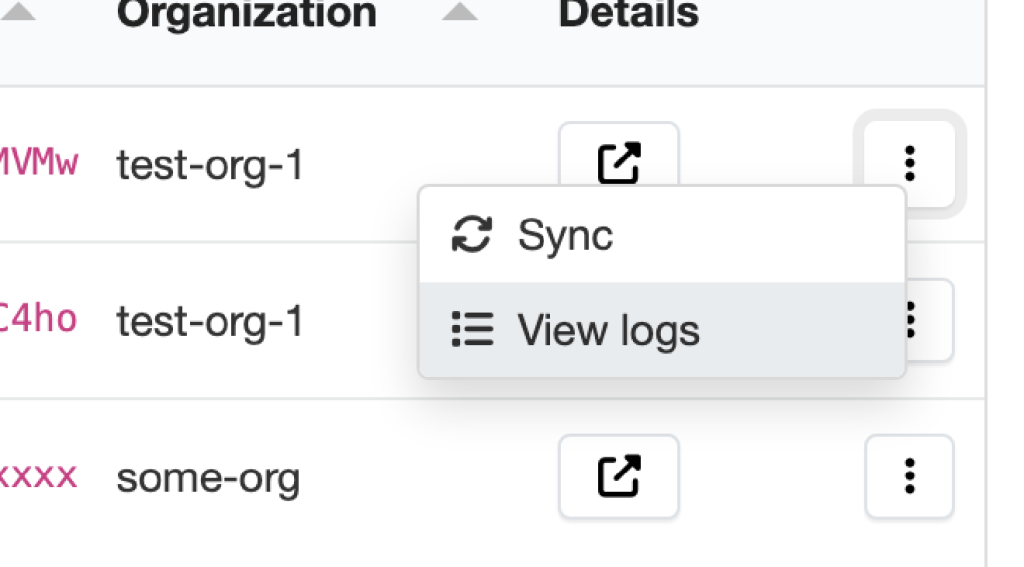
From the syndication dashboard, you can access the records dashboard by clicking the button with three dots and selecting View logs. This opens a new page displaying all records related to the profile.
The records dashboard contains all records associated with the profile. Each record represents a dataset that was or wasn’t successfully syndicated to the remote portal. You can see the dataset title, local and remote IDs (if syndicated successfully), state (synced, failed, stopped), error message (if any), and timestamp.
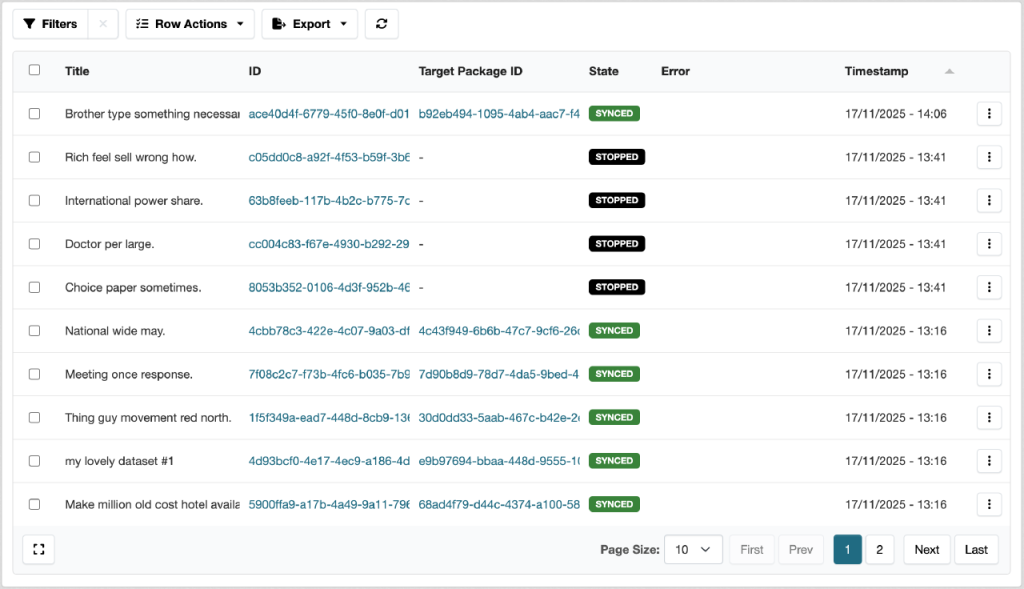
The ckanext-tables extension enables you to filter records, apply actions to selected records (such as resyndicating selected packages), and export records in different formats: CSV, JSON, Excel, TSV, YAML, NDJSON, HTML, and PDF. You can also resyndicate a single record by clicking the respective button in the three-dots menu.
Syndication States
A syndication record can have several states:
- Synced – the dataset was successfully syndicated to the remote portal.
- Failed – the syndication process failed due to an error. The error message is displayed in the respective column.
- Stopped – the syndication process was stopped by the skip_syndication hook. This can occur when a dataset shouldn’t be syndicated based on certain conditions.
Resyndication
The new UI makes resyndication much easier. You can resyndicate a single record, selected records, or an entire profile.
When you resyndicate a record, a new task is created in the background queue. To ensure resyndication isn’t blocked by other tasks, we’ve added a queue setting to each profile. This allows multiple profiles to work in parallel without blocking each other. By default, the default queue is used.
Conclusion
Syndication 3.0.0 represents a significant step forward in making dataset syndication more transparent, manageable, and reliable. The new dashboards provide unprecedented visibility into syndication operations, while the improved architecture ensures better performance and maintainability.
We encourage all users to migrate to this new version and explore the enhanced features. For questions or issues during migration, please visit our GitHub repository or reach out to the community.