This article is co-authored with Oleksandr Cherniavskyi, CKAN Lead Developer, Link Digital
Tables and raw numbers are not always the easiest formats for exploring. Released by Link Digital, ckanext-charts adds chart previews to the resources of the Comprehensive Knowledge Archive Network (CKAN), allowing users to visualise data directly in the portal.
This extension transforms how users interact with datasets, providing instant, visual clarity directly within the CKAN interface.
Two ways to use ckanext-charts
1) Portal-maintained chart previews
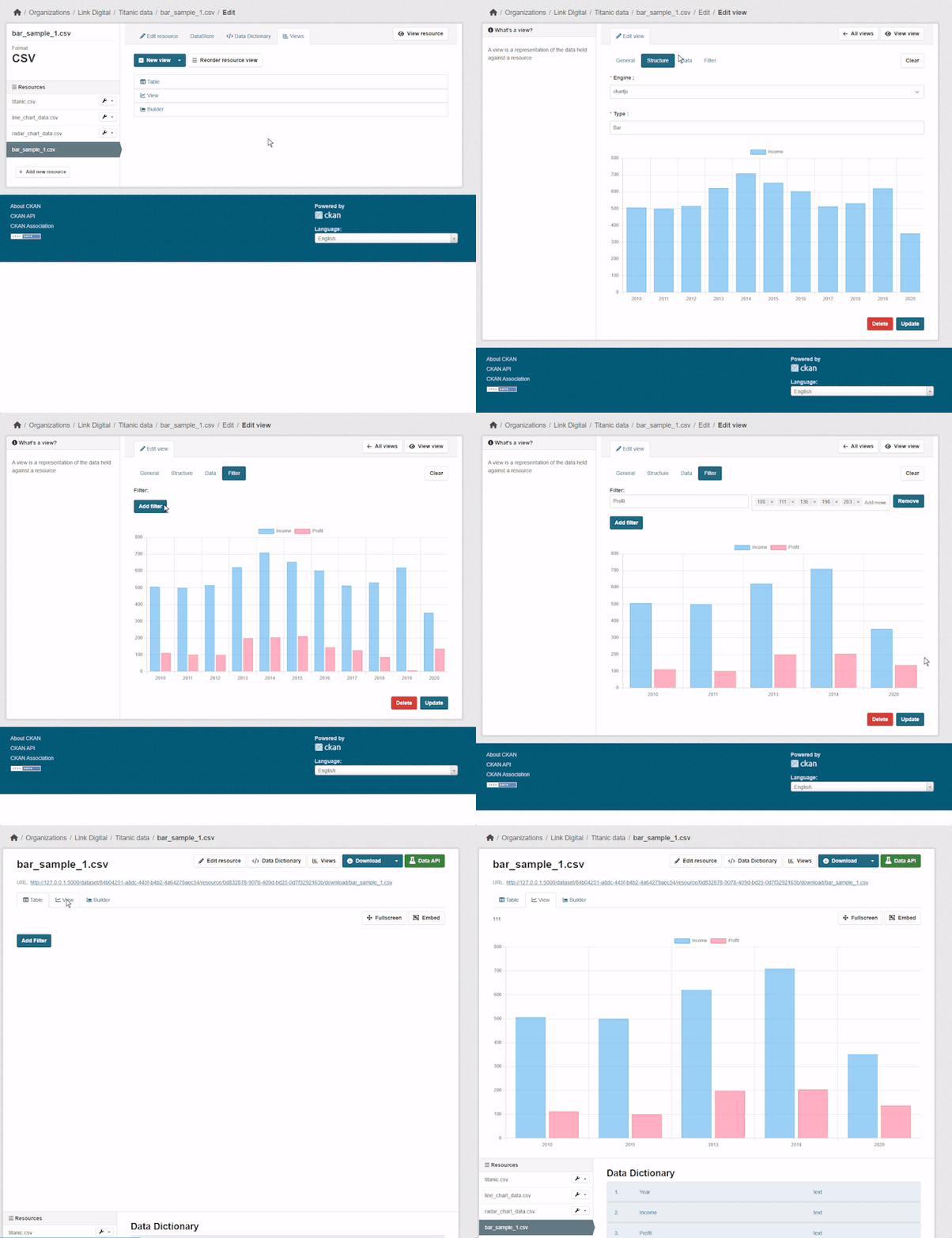
This mode is designed for portal maintainers and dataset publishers.
They can configure a chart preview for a resource so that all users see the same chart when opening it. Depending on the selected chart engine, previews can include interactive features such as hover tooltips, zoom and drag, and exporting the chart.
This is useful when a portal wants to provide a consistent visual preview for key files.
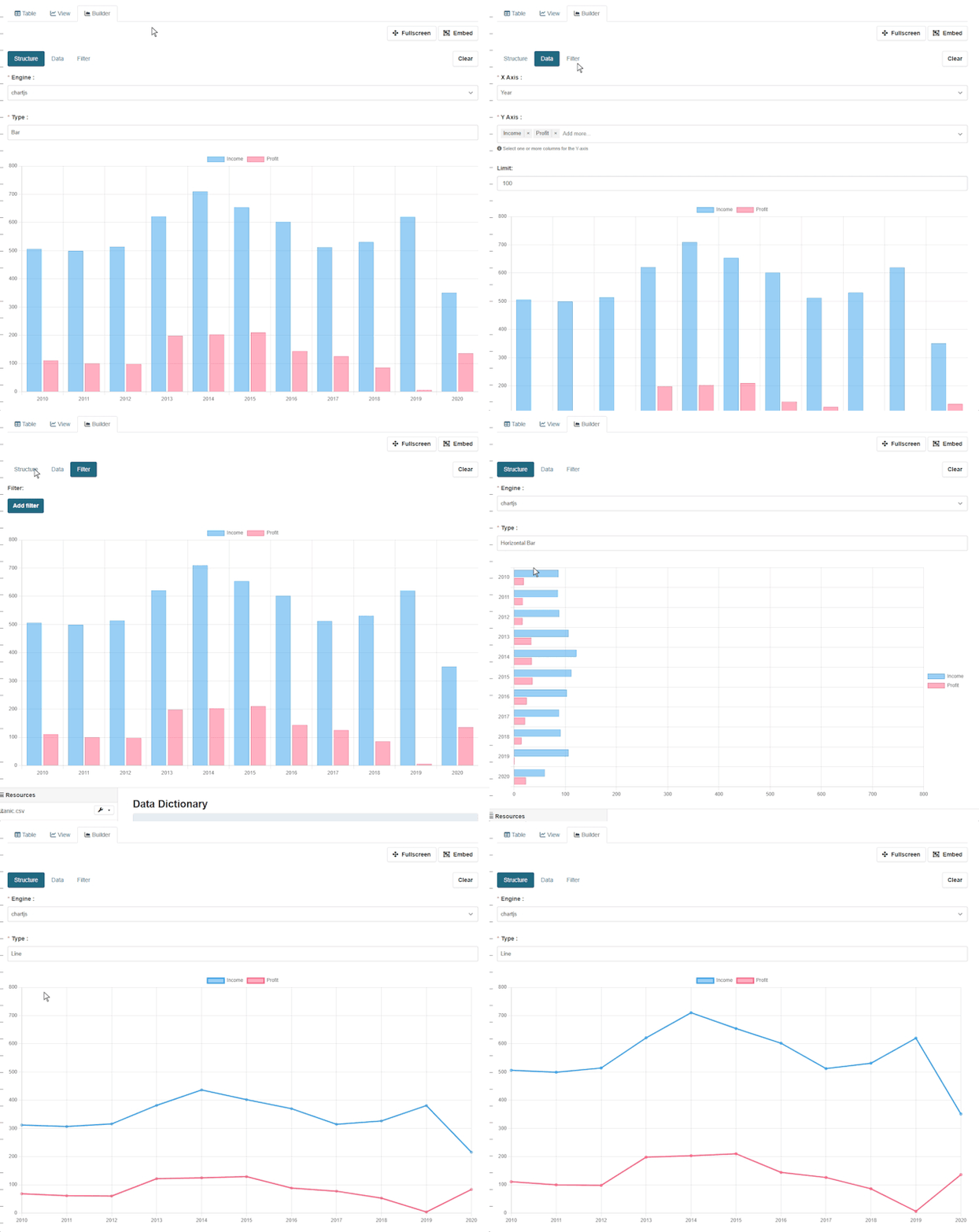
2) Chart builder preview (for individual exploration)
The second mode is a chart builder preview, where users can explore the dataset and build their own chart. They can select the data they want to visualise (including time periods), choose columns and axes, and apply filters to focus on what matters. Once ready, the chart can be exported and shared.
Why is this useful in CKAN?
It helps by:
- making datasets easier to explore without downloading files
- supporting a more user-friendly preview experience
- allowing to highlight the most relevant information
Extentable for developers
For technical teams, ckanext-charts is designed to be extendable. Developers can add:
- new chart engines (other chart libraries)
- new chart types that are not implemented yet
The extension also includes detailed documentation that is useful for both users and developers.
Technical set-up
Note: These steps are for system administrators and/or developers
To install and enable the extension, follow the official documentation:
See ckanext-charts in action
Watch our latest walkthrough to see how easily you can configure and display custom charts:
Are you looking for CKAN experts to help you set up your CKAN extensions, or planning to migrate your digital infrastructure to CKAN? Contact us and let’s discuss it.